Autowork Online integration
Autowork online is an online workshop management system designed for garages and mechanics, it manages almost all aspects of your day to day business needs except time and attendance.
That is where TechTime comes in, we have built a browser extension that gathers job information in the background whilst you are creating and updating jobs within Autowork. It takes seconds to set up and displays available jobs to the technicians to clock onto.
Simple and fast set up
Integrated in minutes.
Works in the background
No additional input required.
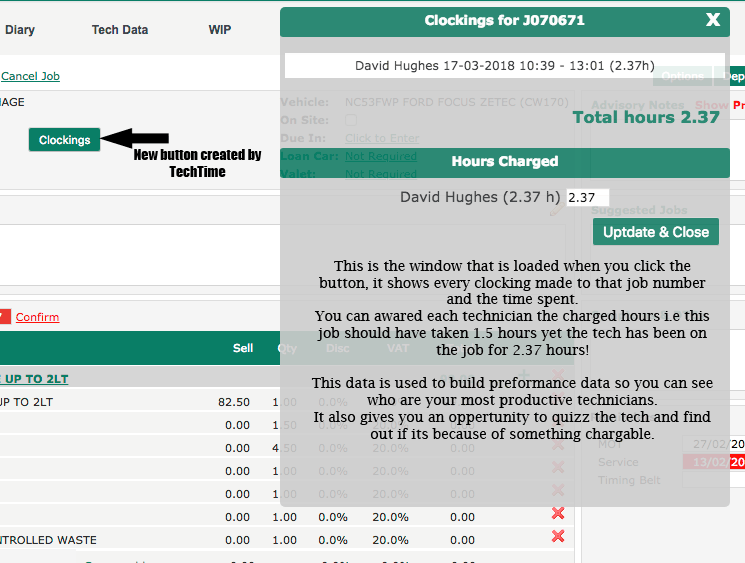
Times where you need them
Job clockings can be viewed right in the job screen.
The technical bit for those that want to know
The TechTime browser extension works for the chrome browser only, this means that if you don't already use chrome you will need to switch. The browser extension once installed needs to be provided with an API key, this is a random set of numbers and letters that the TechTime server can identify your browser and link it to your data. The API key for your company can be found by visiting the dashboard at TechTime.
Once you have added a valid API key you will see a confirmation message and the extension will start collecting data as you use the Autowork online site.
Please note that the browser extension is not available for mobile operating systems such as Android and IOS
TechTime captures information on job update, job cancel, job reinstate, invoice and job create.
Update job checks that the job is in the techtime system, if so the job details be be updated and are available on the clocks, if the job is not already present it is added.
Cancel job closes any future clockings for that job number and reinstate does the opposite of cancel job.
Job create is a little tricky, its still automatic but it relies on your Autowork online being set to open a new jobcard to print when the create button is clicked. I think this is the default action anyway but if you have set your system to not open pop up windows for printing then you will have to go back into the job and click update in order for the customer and vehicle details to show on the clocks. (of course your techs can still clock on using just the job number if needed).